Upgrading from monthly to yearly billing
You can enjoy a two-month free bonus when you switch from a monthly to a yearly subscription. This upgrade is available at any time through our self-service subscription management portal.
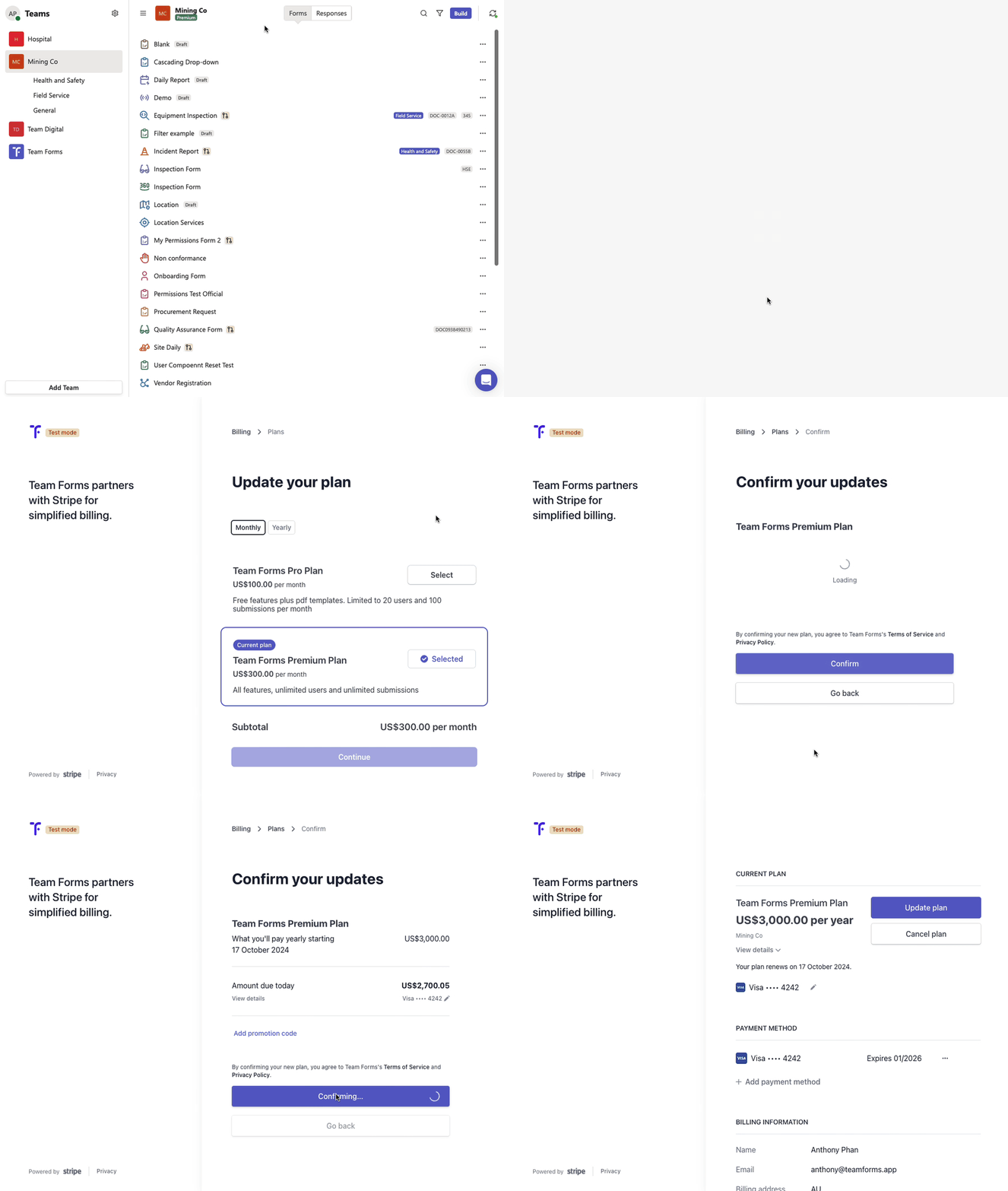
To access the subscription portal, follow these steps:
-
Click on the plan label under your team name or access it via the team settings.
-
Select “Update subscription” to launch the self-service subscription management portal.
-
Choose “Upgrade plan” and switch from “monthly” to “yearly.
You can also open the portal without signing in to Team Forms. Go to the Team Forms billing portal and sign in with the billing email address for the subscription. See Open the billing portal from the sign-in page.