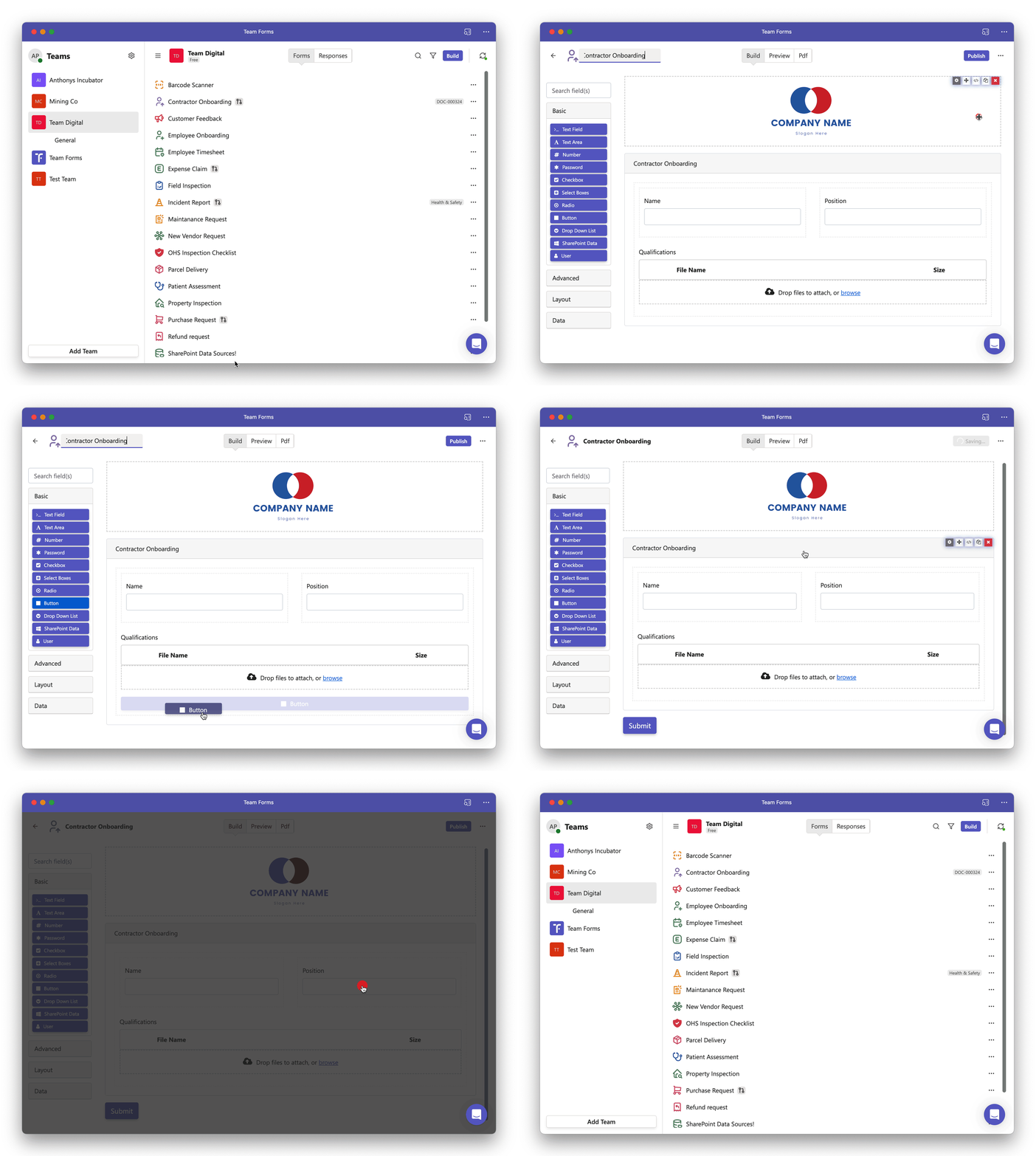
Restore submit button
The submit button is crucial for enabling users to successfully submit the form. However, it’s common to accidentally remove it when you’re just getting started. Fortunately, adding a submit button is a simple task, as it’s just another component, akin to fields such as text boxes or file upload components. Follow these steps to quickly incorporate a submit button into your form:
-
Begin by accessing the form builder screen for the form you intend to modify.
-
Within the basic components section, locate the button component, then effortlessly drag and drop it into your form.
-
After making this addition, click the “Save” button, and your form will now feature a fully functional submit button!