Unpublish a form
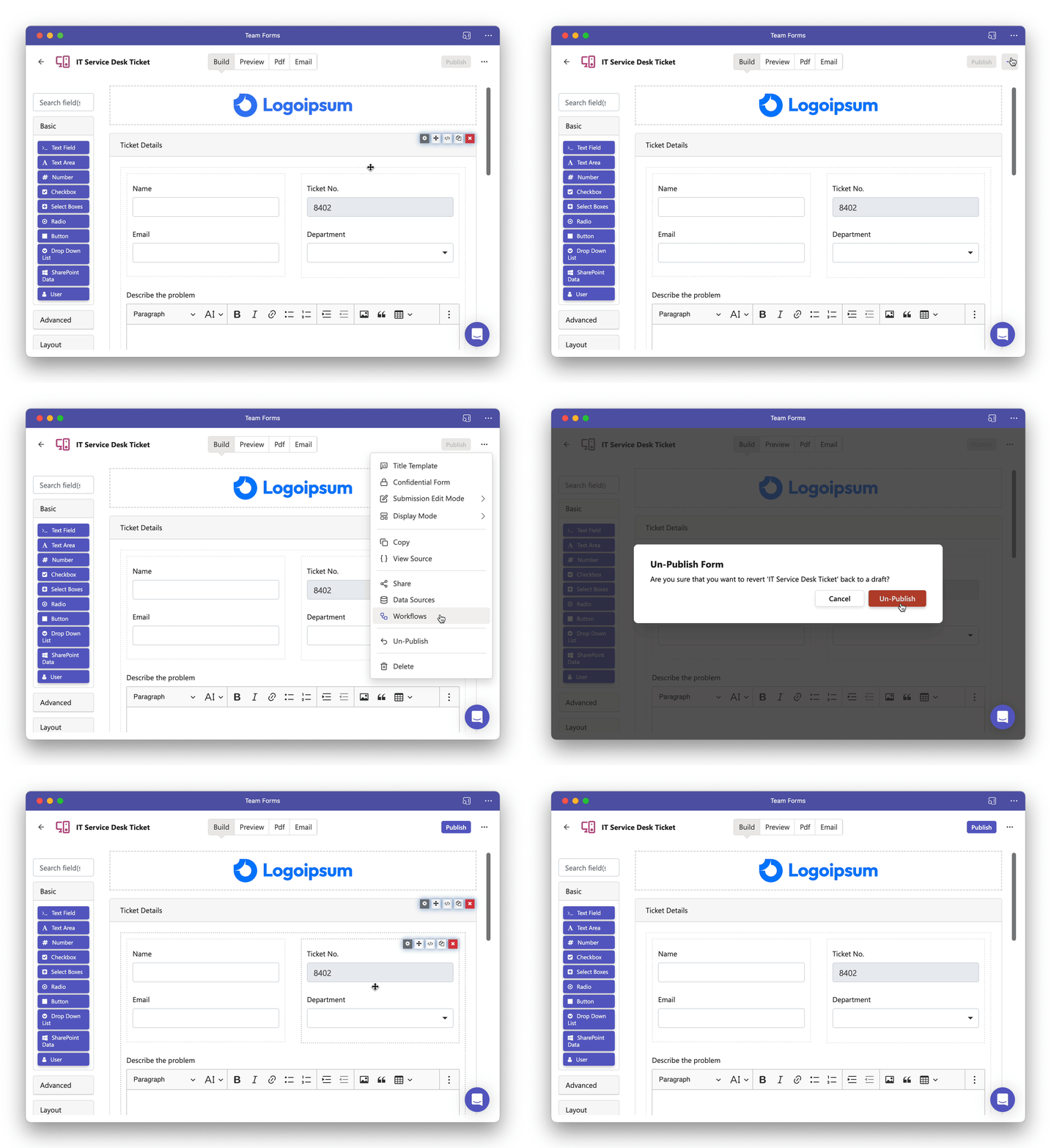
Once a form has been published, it is accessible for team members to view and respond to. However, there are situations where it proves beneficial to un-publish the form. Follow the steps below to unpublish your form:
-
Navigate to the form builder screen corresponding to the form you intend to un-publish.
-
Click the ellipsis (”…”) icon located in the top right-hand corner.
-
Select the “Un-Publish” option from the menu.