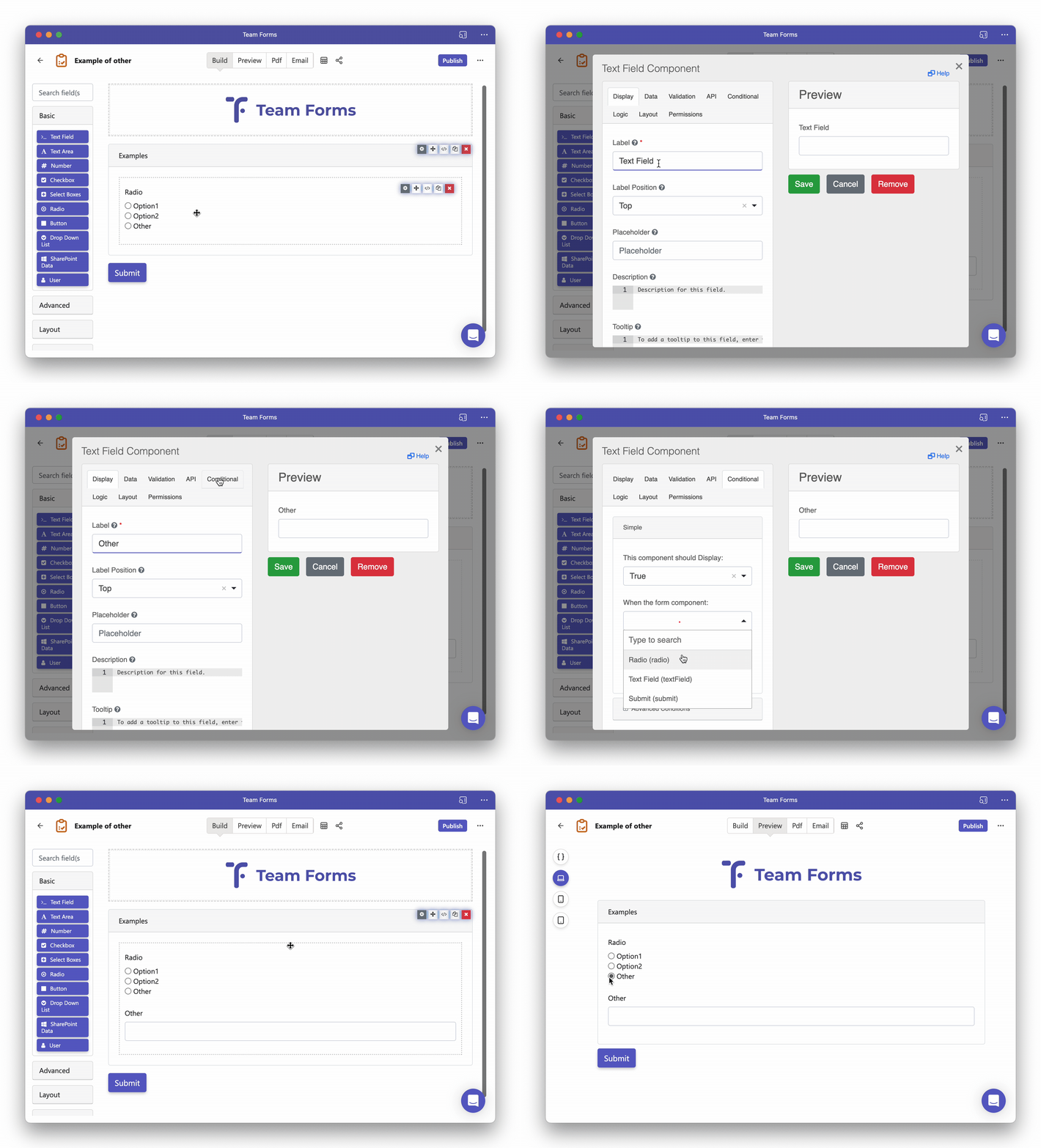
How to add an "other" option to a radio component
-
Drag and drop the radio components into your form
-
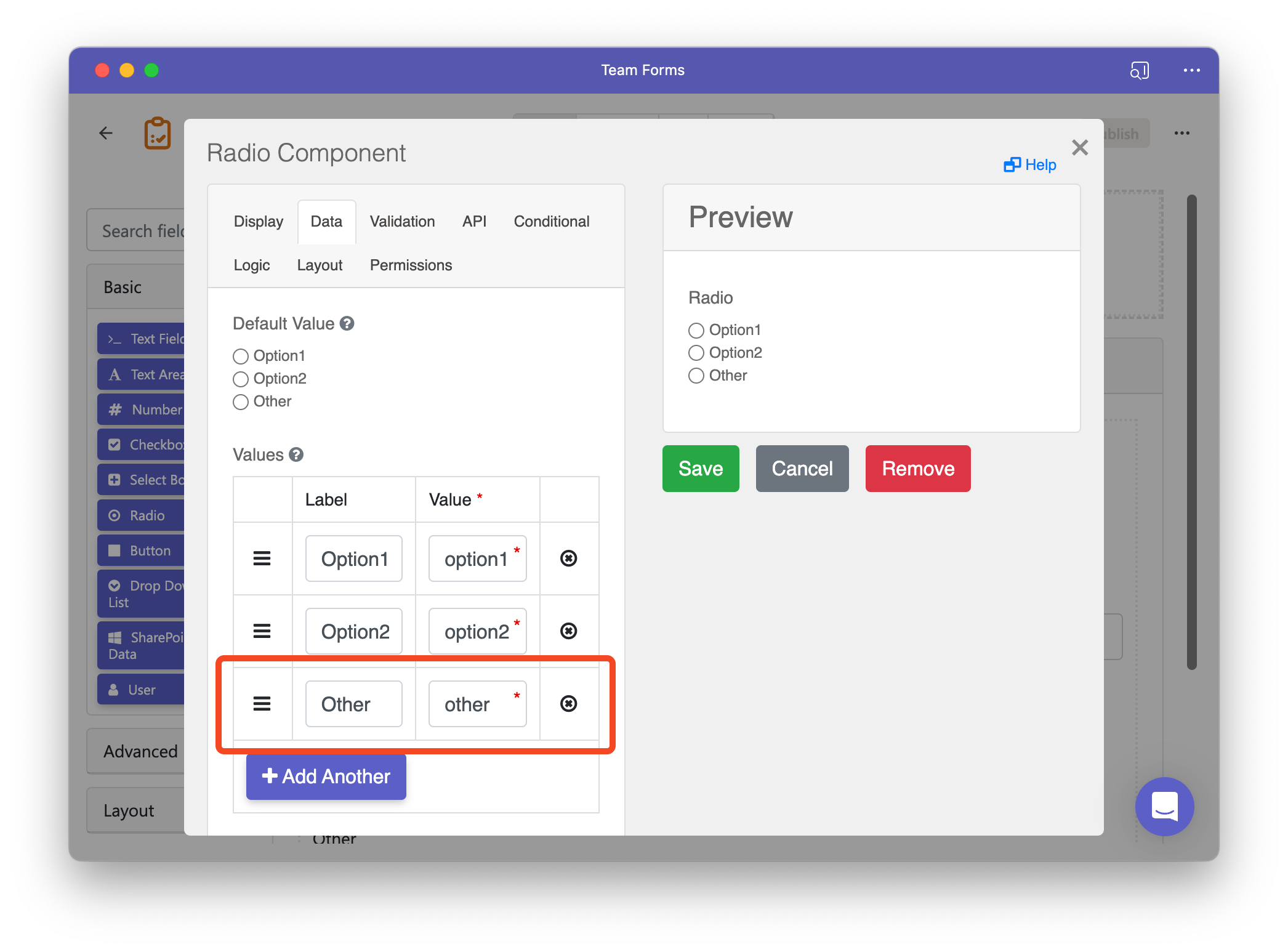
In the radio components setting navigate to the “data” tab and add and additional option for “Other”
-
Drag and drop a text field into your form.
-
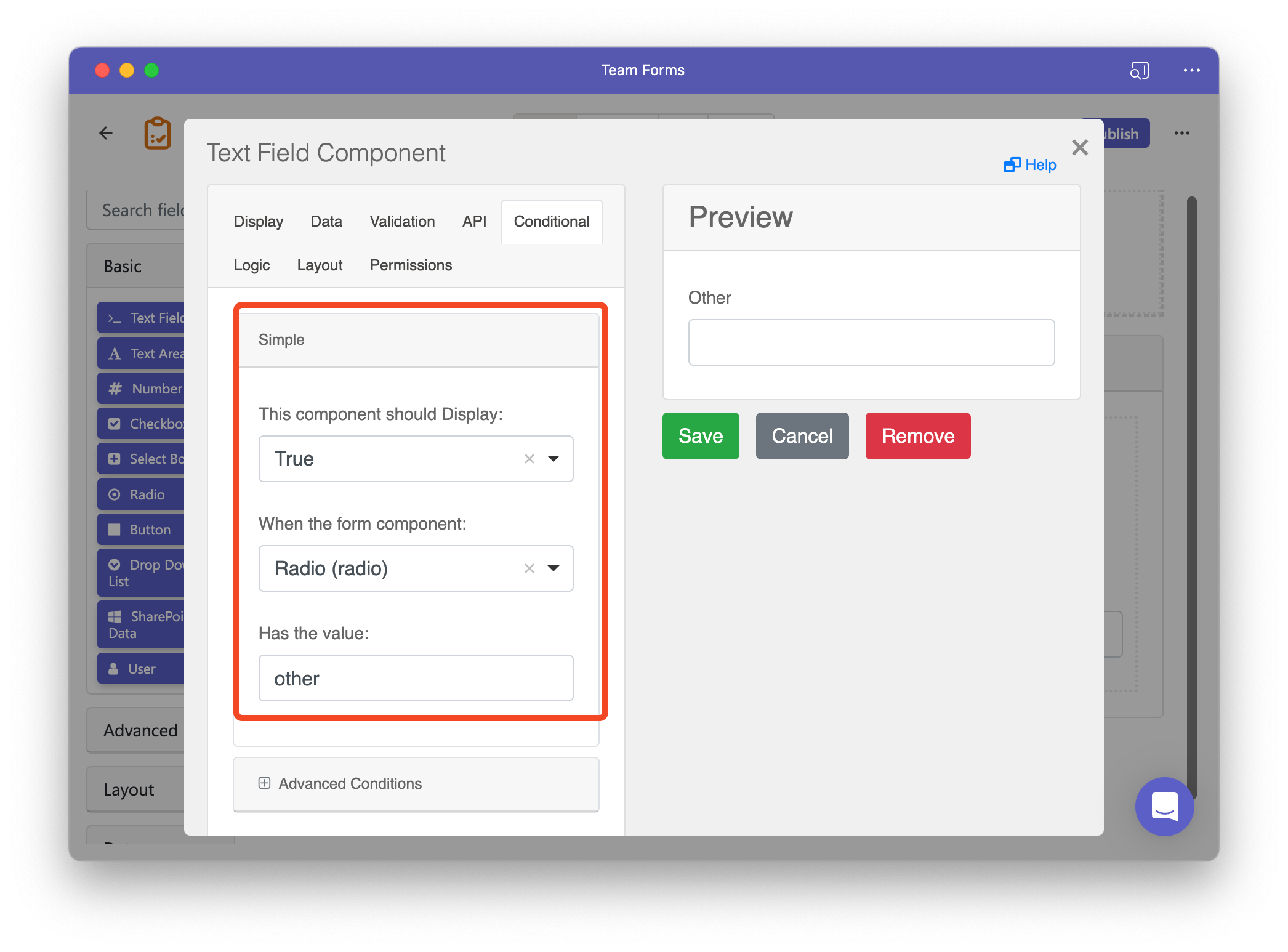
Within the conditional tab configure the field to only show when the “other” option is selected in the radio component.