
Move a form to another Teams channel
A form built within Team Forms can be optionally assigned to a specific Teams channel. If you have built your form within a specific channel or wish to assign the form to a channel within the same team you can use the steps below.
-
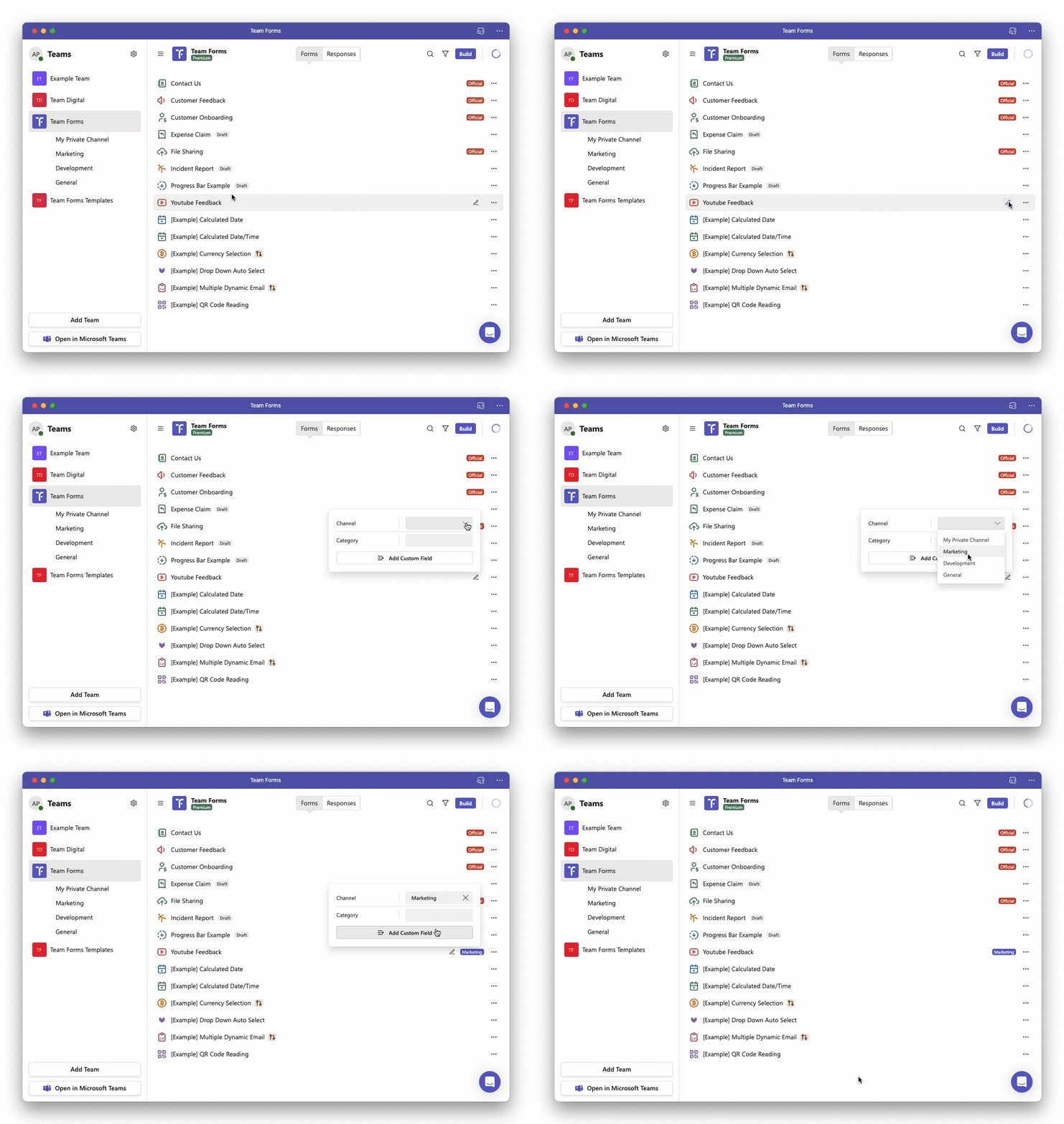
Hover over the form you wish to copy to revel the edit icon.

-
Click the edit icon and within the menu select the channel you wish to assign the form to.
If you wish to move a form to a different team (or channel in a different team) please instead follow the steps in the copy form between teams article.