
Datagrid Component
DataGrids are a powerful feature within Team Forms which allows you to create repeating tables. The tables may contain any componants allowing responders to dynamically add more rows to the grid. DataGrids are particularly useful for forms like purchase requests or timesheets where the responder is the person who will add additional rows.
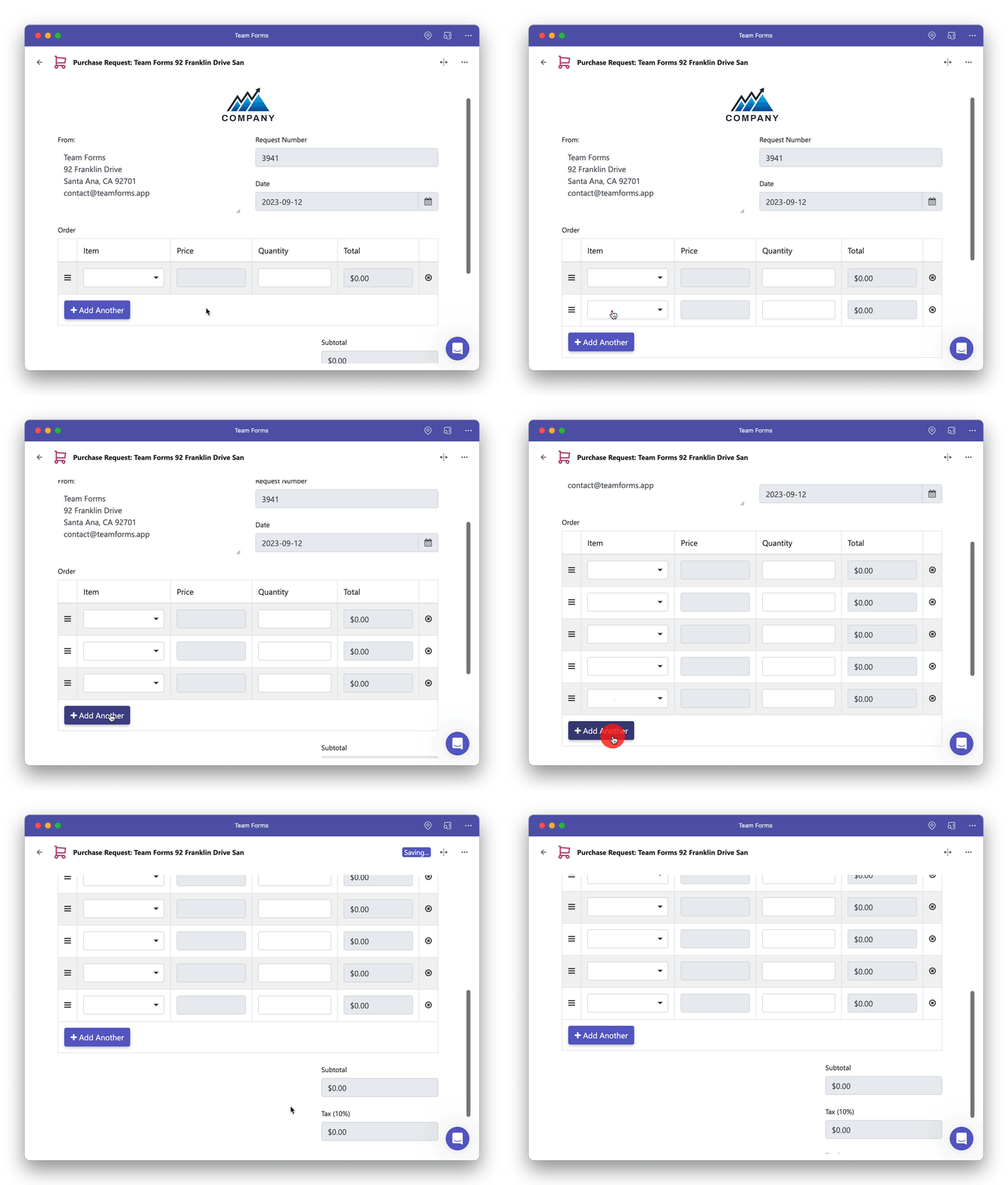
How to use datagrids
Section titled “How to use datagrids”To get started with data grids, simply drag and drop the data grid component into your form. By default, the datgrid will contain a drop down menu and radio options however you can clear this to add any components you wish to repeat in a table.
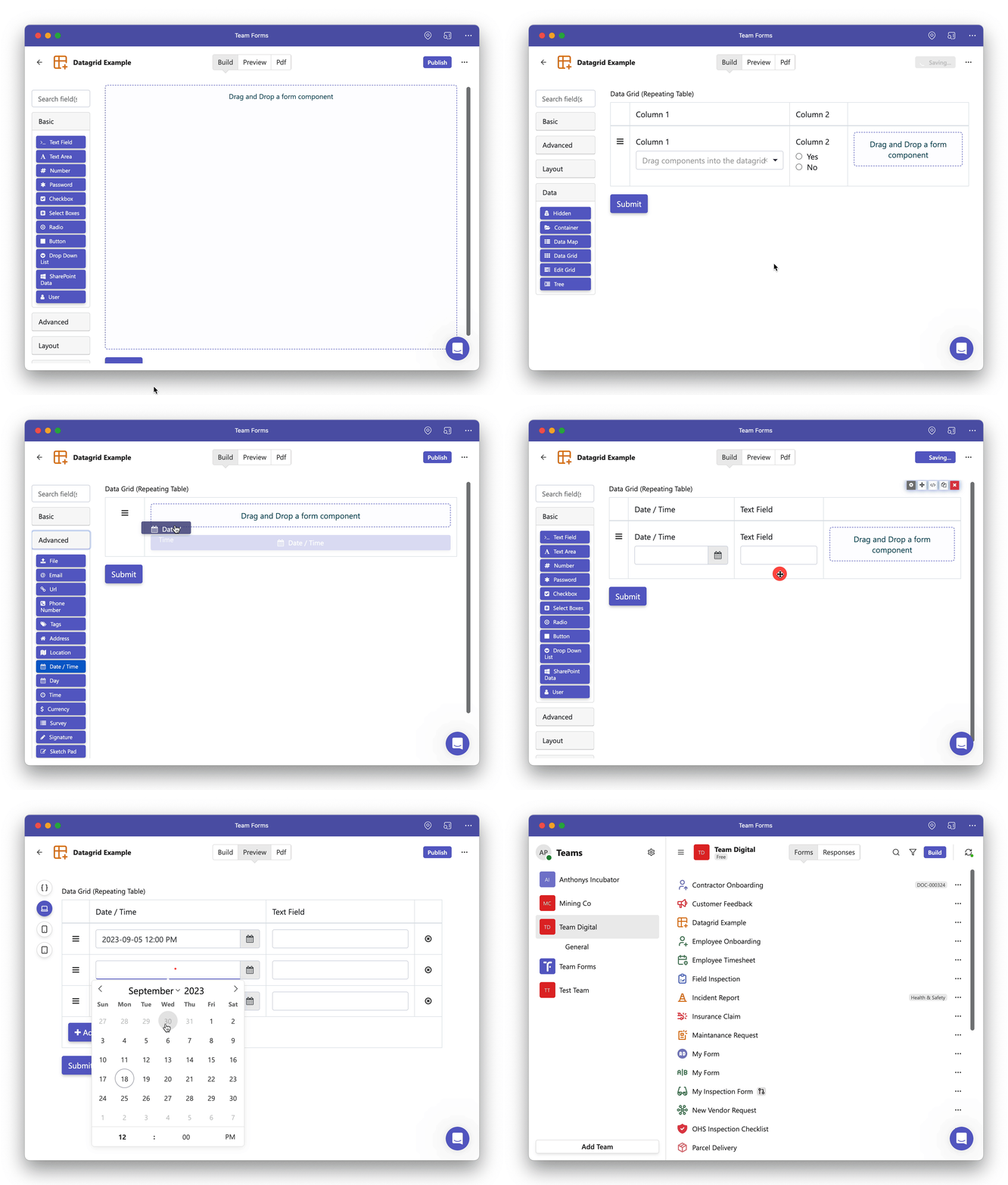
Each response is stored as an array containing one object per row. Calculations inside a row use row, while calculations outside the Data Grid read the complete array through data.<gridKey>. Enable Responsive layout so rows stack cleanly on smaller screens.
See Nested and repeating component schema for exact JSON, response paths, fixed rows, calculations, and email-template iteration.