Download Form Source Code
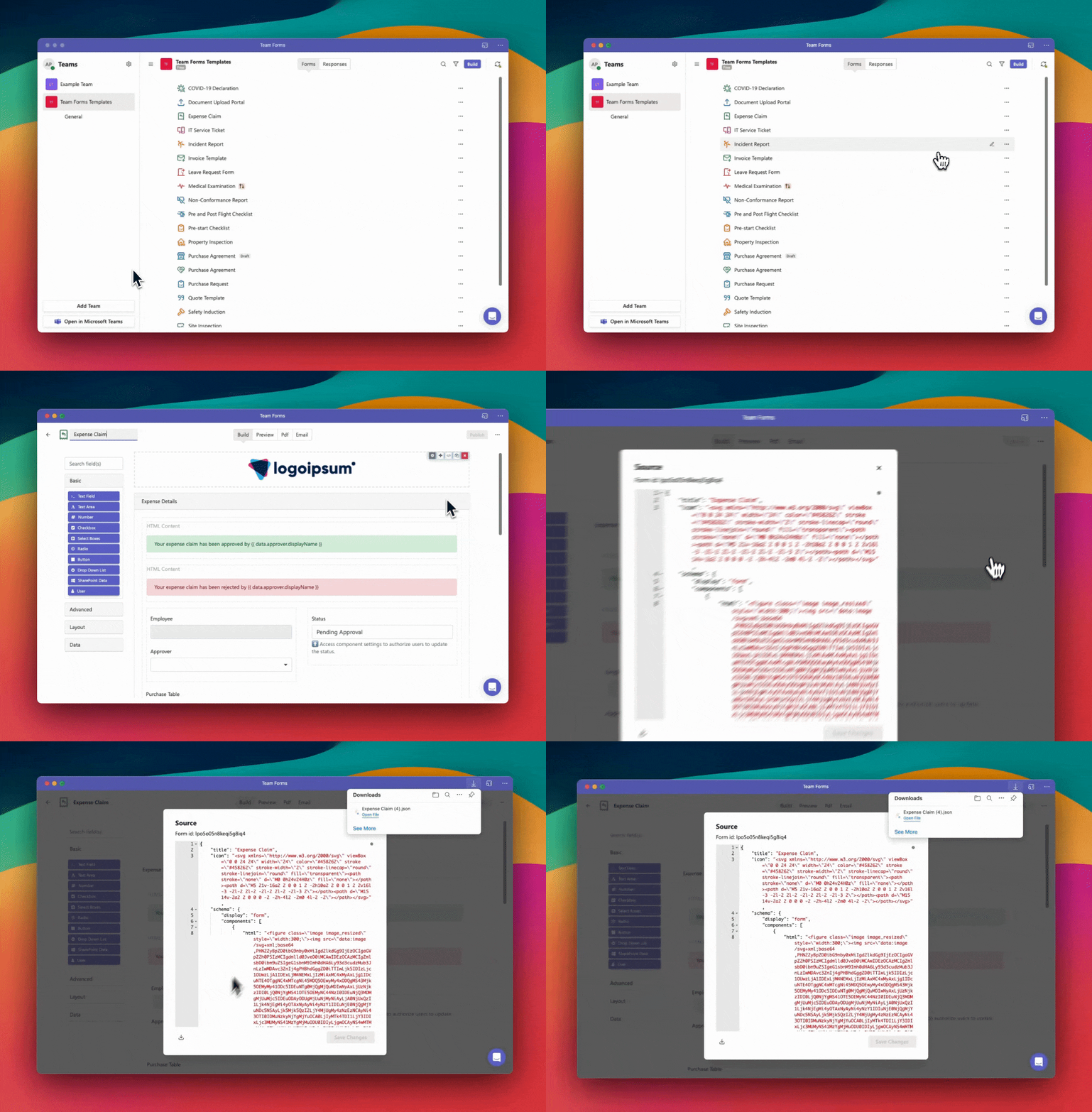
It can me useful to download the source code to your form template to share with a third party. In this case you can download a copy of the template by following the instructions below:
-
Open the form builder screen to the form you wish to export
-
In the top right hand corner click the ”…” to open the context menu
-
Click “View Source”, this will open a dialogue showing the source code
-
Click the download icon located in the bottom left of the popup. This will download a .json file which you can now share with others