Recover a deleted form
Because Team Forms stores submission in your teams own SharePoint site, all documents are automatically version controlled in accordance with your organisations retention policies. This you can recover delete form using SharePoints restore features as described below.
-
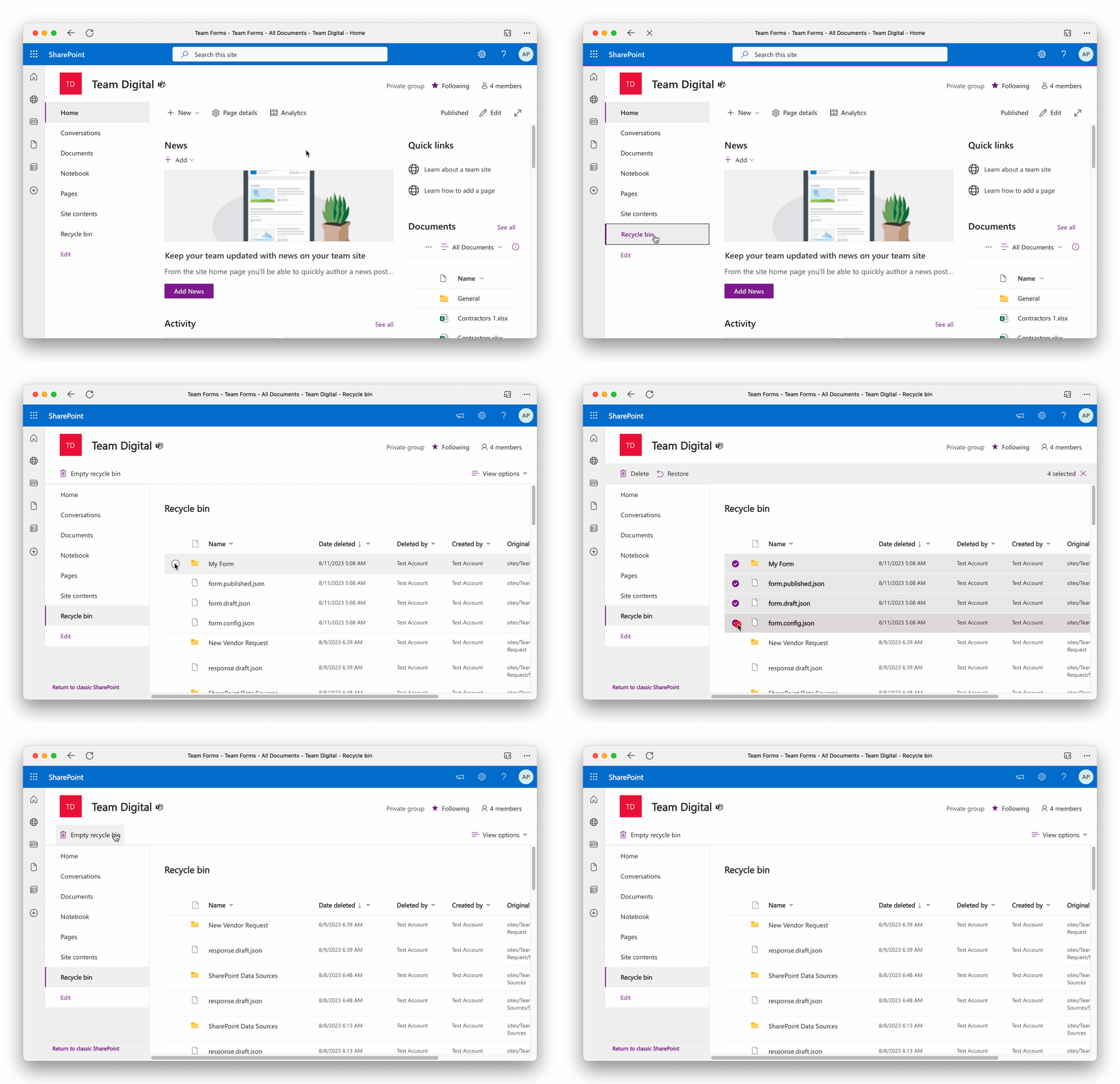
Open the SharePoint site for your team
-
Navigate to the recycle bin for that site
-
Within the recycle bin you should locate 4 different items. Please ensure the items are for the form you wish to recover by checking the Original Location column
-
The folder names after the deleted form
-
form.config.json file
-
form.draft.json file
-
form.published.json file
-
-
Select all four items and press restore