Dynamically setting email recipients
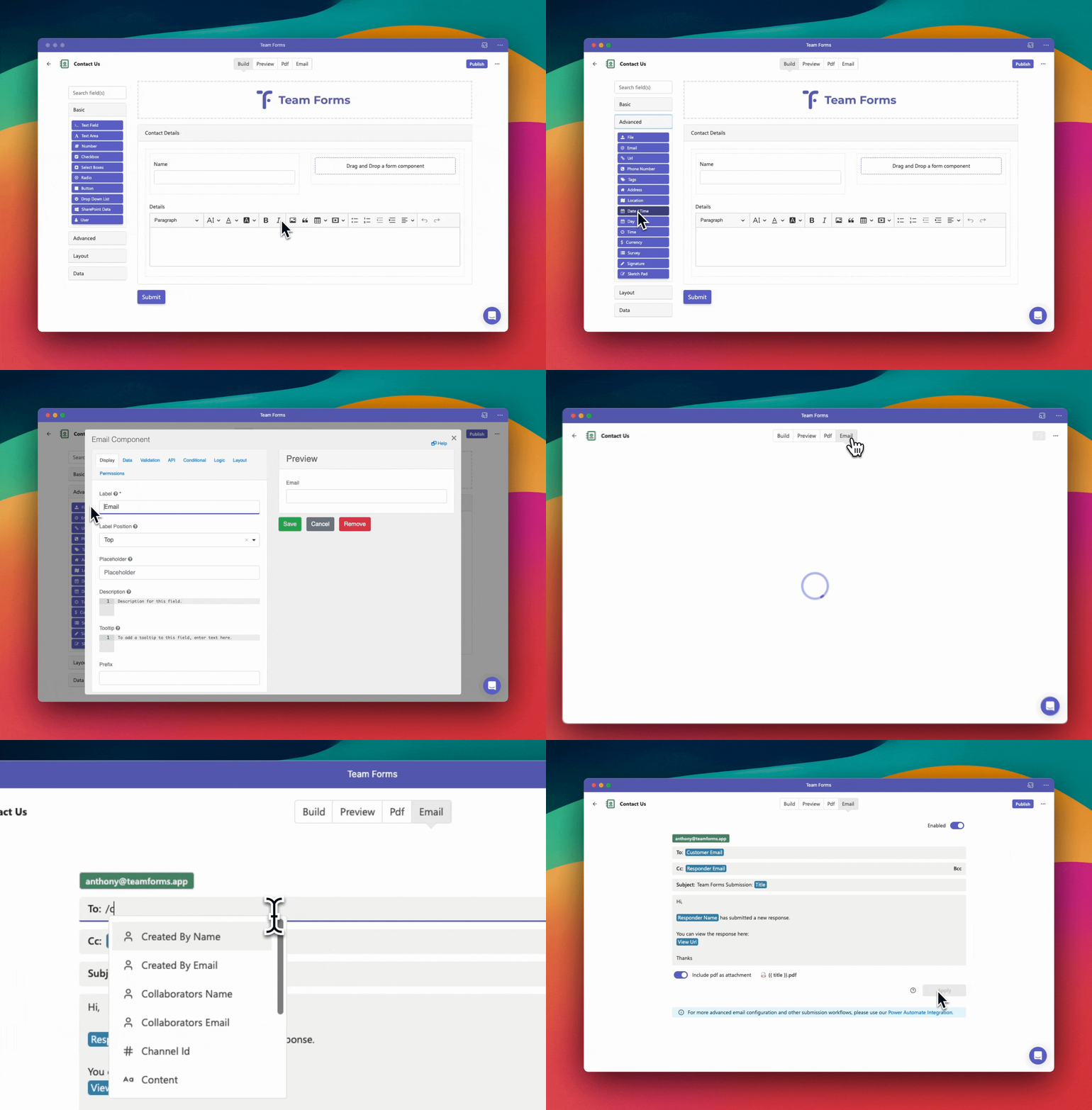
Team Forms can automatically send an email notification when a user submits a form. The notification can be sent to the responder and fixed recipients, but it can also use a question in the form to set recipients dynamically. This uses dynamic response data, as shown below:
-
Drag and drop an email or user component into your form. This component will be used to ask the responder to enter or select an email address or Microsoft 365 user.
-
Open the email tab and enable email notifications
-
In the recipients list click the ”/” key to dynamically select the email/user component setup in step 1. This will dynamically set the recipient to the response to that question.