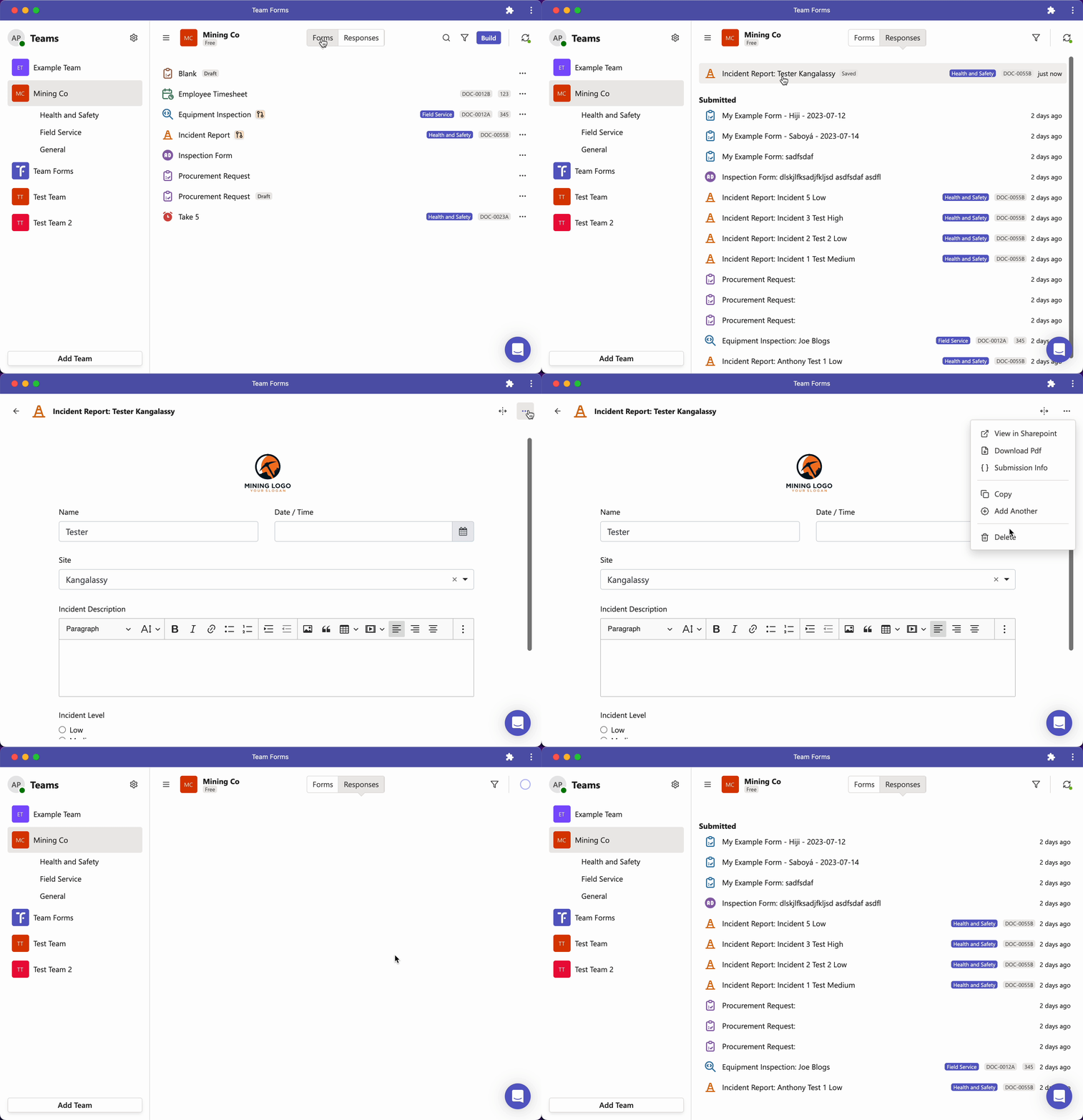
How can I delete a response
To delete a response simply follow the step outlined below
-
Open the draft response you wish to delete
-
Click the ”…” icon in the top right hand corner
-
Click delete and confirm
You can only delete submitted responses if your administrator enables response editing or if you are an owner of the team.
Drafts can be deleted by the person who created them or by a team owner. If a draft has been shared, deleting it deletes it for everyone. To remove a shared draft you downloaded from your device only, use Remove Offline Copy instead. See Collaborate on shared drafts.