How to set the default value of the time component
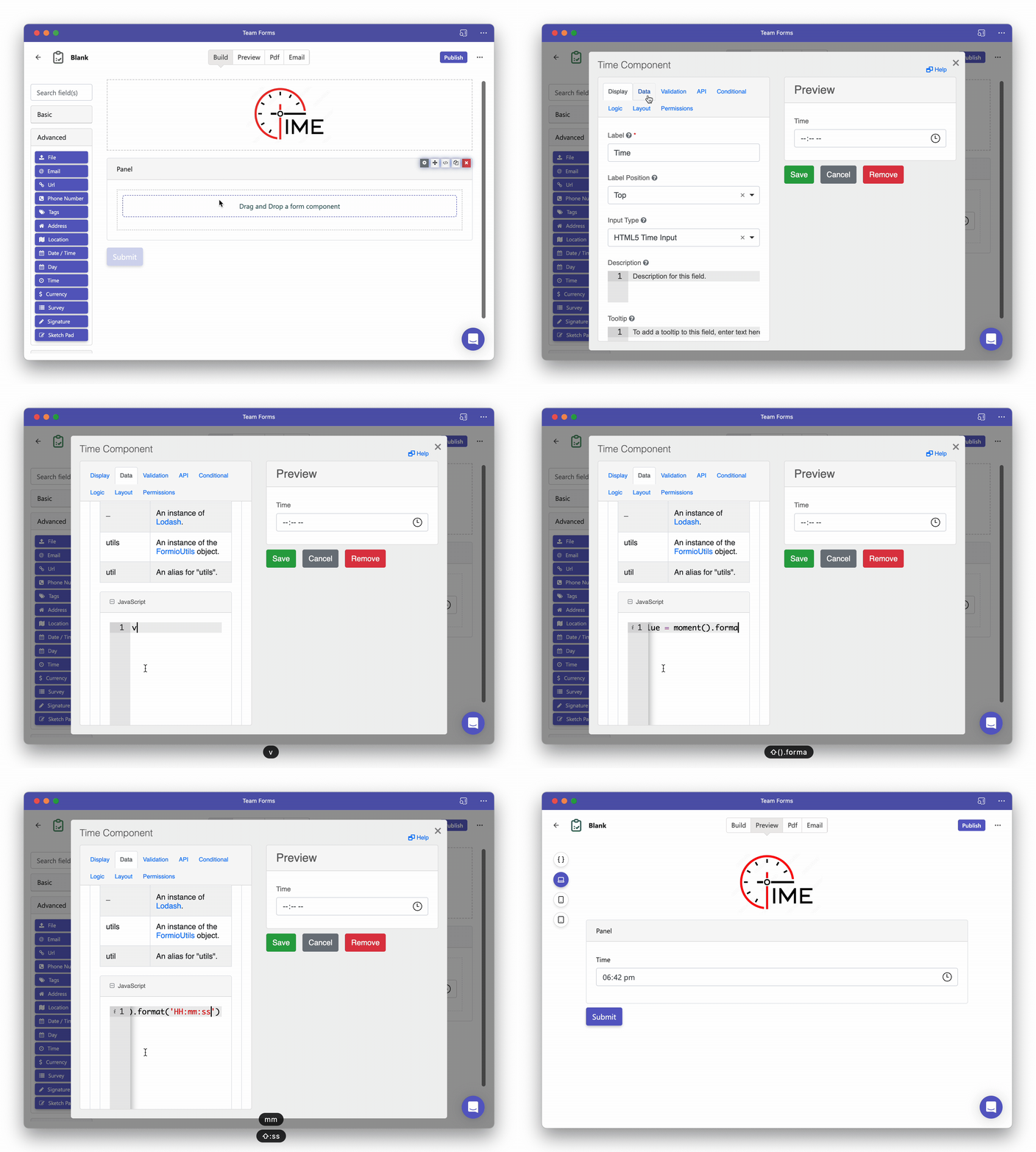
The time component is great for providing a user friendly method of capturing time. To set that default value of the time component to the current time simply follow the steps below:
-
Drag and drop a time component into your form or open the setting for an existing time component
-
Under the data tab scroll down to the “Custom Default Value” option and insert the following JavaScript code.
value = moment().format('HH:mm:ss')